
Malicious PyPI Releases of Microsoft Agent Framework Steal Cloud and CI Credentials
Two malicious agent-framework releases, versions 1.26.1 and 1.26.2, added a Python startup hook that steals credentials, cloud tokens, and CI secrets. Anyone who installed either version should treat the environment as exposed.
Xcademia Team
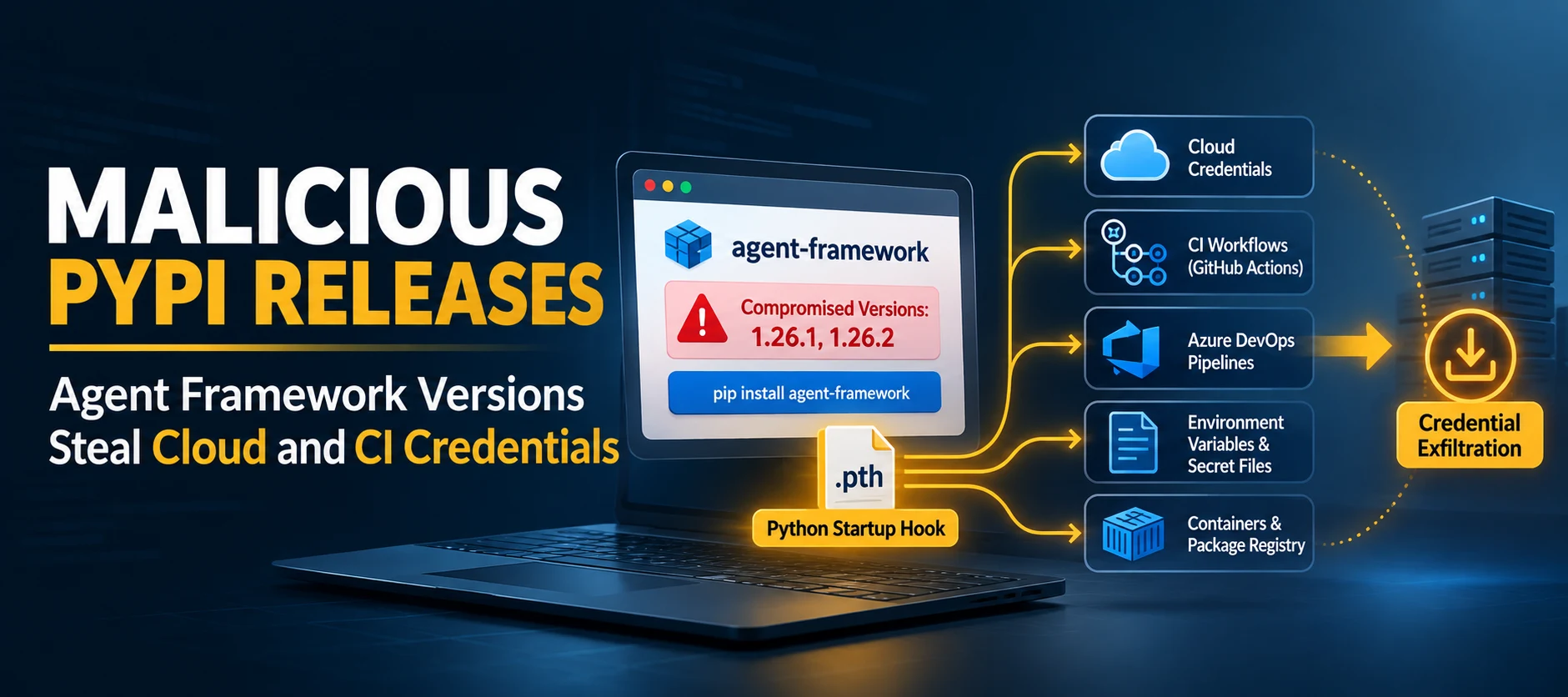
Two releases of the legitimate Python package agent-framework, associated with Microsoft's Agent Framework, have been identified as malicious after researchers found credential-stealing code embedded in their distributions.
The GitHub Advisory Database published GHSA-764m-3ppc-5m73 on November 18, 2026, identifying versions 1.26.1 and 1.26.2 as affected. Both releases were uploaded to the Python Package Index (PyPI) on November 17 and have since been removed.
The malicious code was not part of the last clean release, version 1.26.0. GitHub lists no patched versions because the advisory concerns malicious package releases rather than a conventional software vulnerability.
The payload was designed to collect sensitive information from the environment where the package was installed. Its targets included environment variables, local credential files, cloud authentication tokens, Azure DevOps credentials, and, in version 1.26.2, GitHub Actions authentication tokens.
The incident is particularly relevant to development environments and automated build systems. Credentials available to a Python process could also be accessible to the malicious code, potentially exposing secrets used by cloud deployments and CI/CD pipelines.
The advisory says anyone who installed either affected release should treat the environment as exposed and rotate credentials that were accessible from it, including CI and GitHub Actions secrets.
Which Package Versions Are Affected?
The malicious releases were distributed under the package name agent-framework, which resembles the legitimate Microsoft Agent Framework package.
The advisory identifies the following versions and release details:
Package version | Publication time (UTC), November 17 | Status |
|---|---|---|
| Previous clean release | Not affected |
| 20:35 | Malicious |
| 21:08 | Malicious |
Version 1.26.1 was published as a wheel only. After it was removed, version 1.26.2 appeared later that evening with a modified malicious payload.
Both releases have since been removed from PyPI. However, removal from the package index does not establish that previously downloaded copies have disappeared from local environments, caches, or internal package repositories.
The advisory also states that the dependency agent-framework-core[all]==1.26.0 remained unchanged in the malicious releases. The malicious additions were introduced through the agent-framework package itself.
A closer look at the release changes
The two releases used different filenames for their malicious startup components.
Version | Startup hook | Helper component |
|---|---|---|
1.26.1 |
|
|
1.26.2 |
|
|
In version 1.26.1, the package also included a modified agent_framework_meta/__init__.py that started the helper.
In version 1.26.2, that initialization file was identical to the clean 1.26.0 release. Instead, the renamed helper started its own _start() function when imported by the .pth hook.
The advisory notes that the rest of the wheel matched version 1.26.0, making the malicious additions less obvious when examining the package's ordinary functionality.
How the Malicious Python Startup Hook Executes
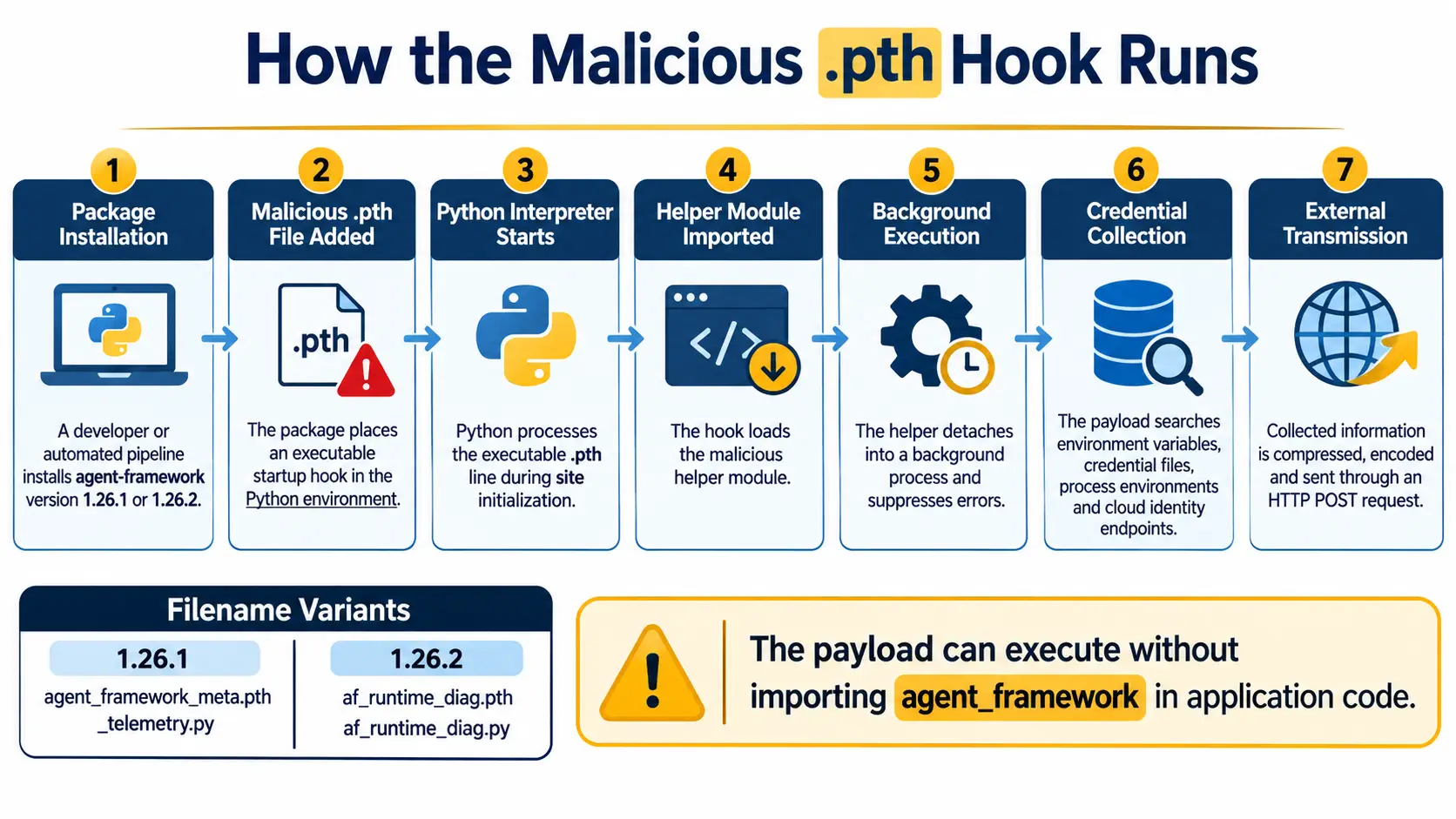
The central technique used in both releases involves Python .pth files.
Python processes executable lines in .pth files during interpreter startup when its site initialization mechanism is enabled. This allows a package to run code without requiring an application to explicitly import that package.
The malicious releases abused this behaviour by adding a .pth file that imported a helper module.
As a result, the payload could execute when a Python interpreter started in an affected environment, even if the application never ran:
import agent_frameworkThis is an important distinction from malicious code hidden inside an ordinary application module. Developers might not notice suspicious behaviour by reviewing their application imports because the startup hook operates independently of an explicit import of agent_framework.
Version 1.26.1
The first malicious release added:
agent_framework_meta.pthagent_framework_meta/_telemetry.py
The .pth file imported the helper package, while the modified initialization file started the telemetry helper.
The code was presented under a runtime-diagnostics theme, but its behaviour involved collecting sensitive information and sending it to an external endpoint.
Version 1.26.2
The second release changed the component names:
af_runtime_diag.pthaf_runtime_diag.py
The clean agent_framework_meta/__init__.py was retained. The helper module called its own _start() function when imported, leaving the .pth file as the execution trigger.
The helper also detached into a background process using os.fork and os.setsid. An environment marker named _AF_TEL guarded execution, and the code suppressed errors rather than displaying them to the user.
These changes allowed the malicious activity to operate in the background while reducing visible indications of failure.
What Information Did the Credential Stealer Collect?
The payload was designed to gather information that could provide access to development tools, cloud services, source-code platforms, and automated deployment environments.
According to the GitHub advisory, the malware collected basic information about the environment, including:
Hostname.
Username.
Current working directory.
Process arguments.
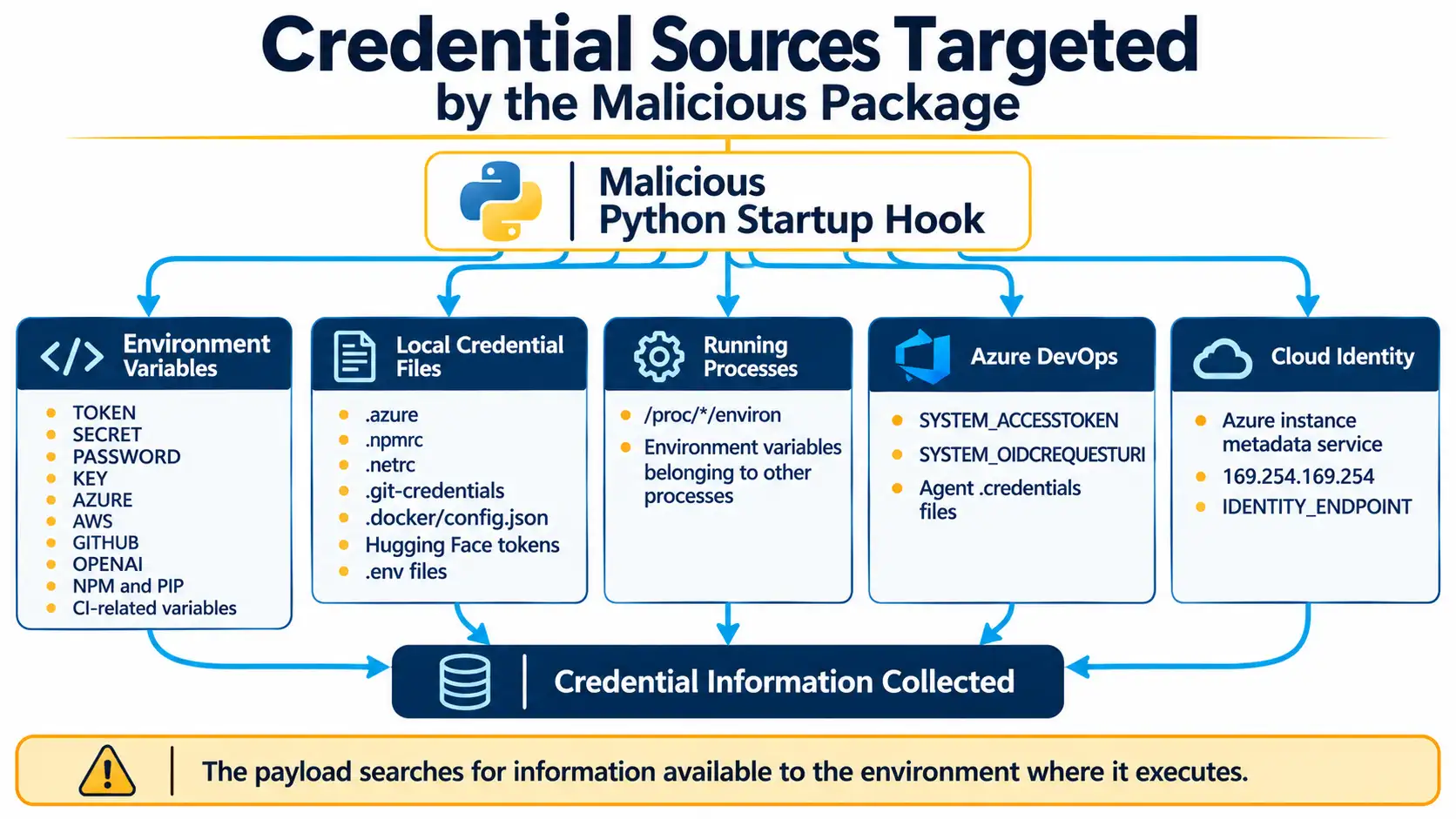
It also searched environment variables for names containing terms associated with authentication and sensitive configuration.
These included:
TOKEN, SECRET, PASSWORD, KEY, AZURE, AWS, GITHUB, HF_, OPENAI, NPM, PIP, and CI_.
The payload also inspected the environment variables of other processes through Linux process information exposed under:
/proc/*/environ
This could expose credentials available to other running processes, depending on the permissions and environment in which the malware operated.
Credential files and development environment secrets
The malicious code searched for files and locations commonly used to store authentication information.
The advisory identifies the following targets:
Location or credential source | Potential information exposed |
|---|---|
| Azure CLI authentication and configuration data |
| npm registry authentication settings and tokens |
| Stored credentials for network services |
| Git authentication credentials |
| Docker registry authentication information |
Hugging Face token | Authentication for Hugging Face services |
Azure DevOps agent | Azure DevOps agent credentials |
| Application secrets and environment configuration |
The collection of these files could expose credentials beyond the application using the affected package.
For example, a development machine may contain Git credentials, cloud authentication information, package registry tokens, and deployment secrets in the same environment. The malware's collection logic was designed to search across several of these sources.
Azure DevOps and managed identity token collection
The payload also targeted authentication mechanisms used by automated development and cloud infrastructure.
For Azure DevOps, it collected information associated with:
SYSTEM_ACCESSTOKENSYSTEM_OIDCREQUESTURI
These variables are associated with Azure DevOps pipeline authentication and OIDC token-exchange workflows.
The malware also attempted to obtain Azure managed-identity tokens through cloud identity endpoints, including:
169.254.169.254IDENTITY_ENDPOINT
Managed identities allow workloads running in supported Azure environments to authenticate to services without relying on manually stored credentials. The malicious code's attempts to access these endpoints created another potential route to cloud credentials.
Version 1.26.2 Expanded Collection to GitHub Actions Tokens
The second malicious release introduced additional collection capabilities targeting GitHub Actions environments.
According to the advisory, version 1.26.2 added collection of the following environment variables:
ACTIONS_ID_TOKEN_REQUEST_URLACTIONS_ID_TOKEN_REQUEST_TOKENACTIONS_RUNTIME_TOKEN
These variables are associated with GitHub Actions authentication and runtime operations.
The updated release also added /home/runner paths to its collection targets, expanding its coverage of GitHub-hosted runner environments.
Another change increased the maximum number of captured files from 60 to 80.
These additions distinguish the second malicious release from version 1.26.1. While both versions targeted environment variables, local credential files, Azure DevOps tokens, and managed-identity information, version 1.26.2 added specific GitHub Actions OIDC token collection.
For organisations using automated workflows, this increases the importance of reviewing the environment and secrets available to jobs that installed the affected package.
How the Stolen Information Was Exfiltrated
After collecting information, the malware prepared the data for transmission to attacker-controlled infrastructure.
The advisory describes the process as follows:
Collected information was compressed using zlib.
The compressed data was encoded using Base64.
The resulting payload was sent through an HTTP POST request.
The destination was:
hxxps://webhook[.]site/d381fd80-ec62-42ad-8f5c-d1b15103c9bb
The destination URL was stored in Base64-encoded form within the malware under the variable _ENC and decoded during execution.
Both malicious releases used the same endpoint.
The payload also used different User-Agent strings to identify its requests:
Version | User-Agent |
|---|---|
1.26.1 |
|
1.26.2 |
|
The runtime-diagnostics naming was consistent with the apparent theme of the malicious helper files.
The use of compression and Base64 encoding changed the representation of the collected information before transmission. It did not make the information safe or prevent the receiving endpoint from recovering the original data.
Indicators of Compromise
The GitHub advisory provides the SHA-256 hashes of both malicious package wheels and identifies the external destination and User-Agent strings.
Security teams can use these indicators to review package artifacts, build environments, network records, and Python installation locations.
Malicious package hashes
Package version | SHA-256 |
|---|---|
|
|
|
|
File indicators
Version | File |
|---|---|
1.26.1 |
|
1.26.1 |
|
1.26.2 |
|
1.26.2 |
|
Network indicators
Indicator type | Value |
|---|---|
Exfiltration endpoint |
|
1.26.1 User-Agent |
|
1.26.2 User-Agent |
|
The endpoint and User-Agent values should be used alongside package hashes and file indicators. A network match alone does not establish that a particular machine installed the malicious package.
What Developers and Security Teams Should Do
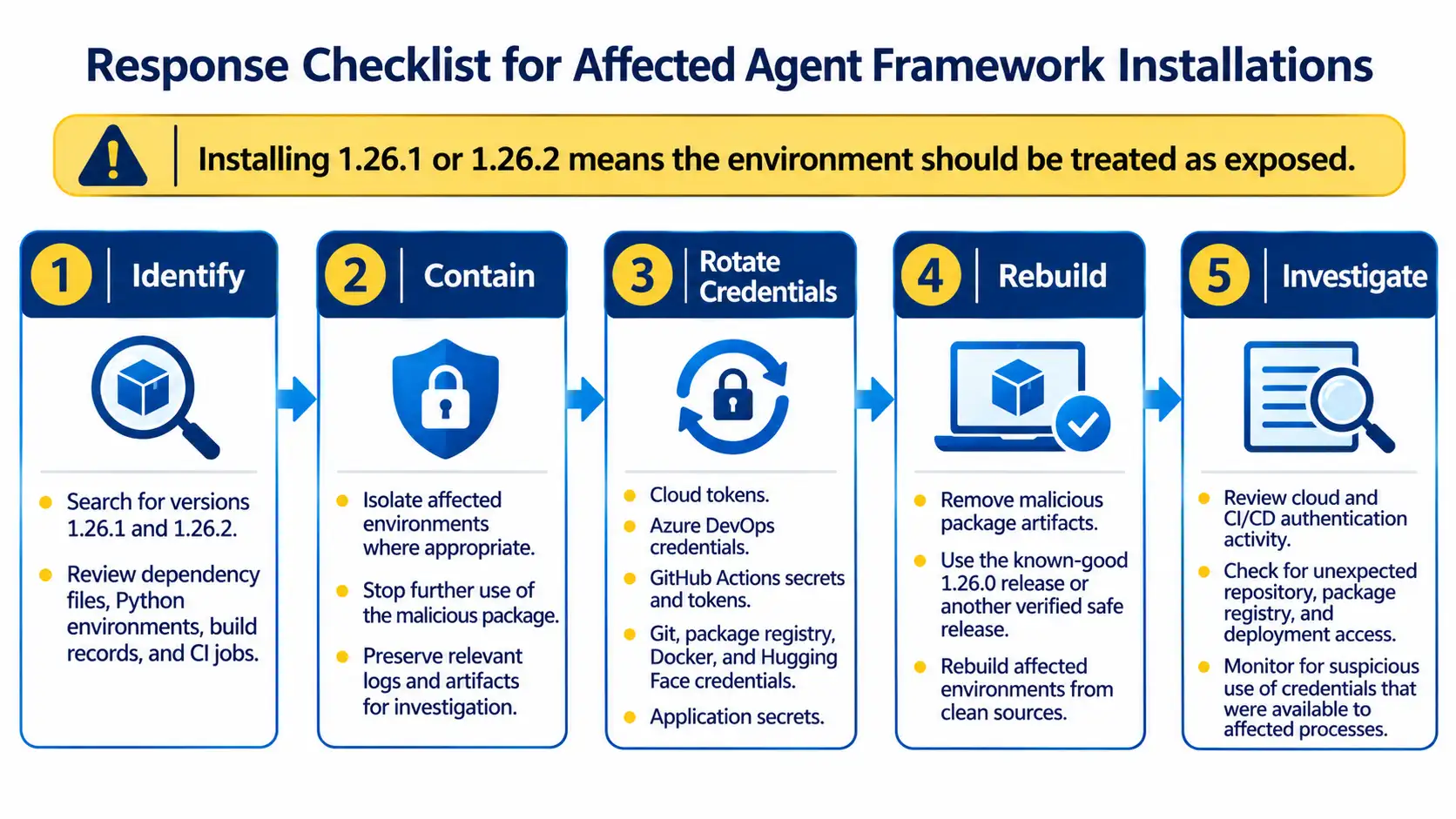
The GitHub advisory gives a direct warning: anyone who installed version 1.26.1 or 1.26.2 should treat the affected environment as exposed.
Removing the package alone is not sufficient to address the potential exposure of credentials that may already have been collected.
1. Identify installations of the affected versions
Review dependency manifests, lockfiles, build records, package installation logs, and Python environments for:
agent-framework==1.26.1agent-framework==1.26.2
Also examine CI/CD jobs and automated build environments that may have installed either release.
The package's removal from PyPI does not establish that previously downloaded wheels or cached copies have been removed from every environment.
2. Treat affected environments as exposed
If either malicious version was installed, treat the machine, container, or CI runner as potentially exposed.
The advisory recommends rotating credentials that were accessible from the affected environment.
This includes, where applicable:
Cloud credentials and access tokens.
Azure DevOps pipeline credentials.
GitHub Actions secrets and authentication tokens.
Git and package registry credentials.
Docker registry credentials.
Hugging Face tokens.
Application secrets stored in environment variables or
.envfiles.Other credentials available to the affected process.
Credential rotation should be performed from a clean environment rather than the potentially affected machine.
3. Review cloud and CI/CD activity
Investigate activity associated with credentials that were available to the affected environment.
Review relevant Azure, Azure DevOps, GitHub, cloud identity, source-code repository, and package registry logs for unexpected authentication or access.
Pay particular attention to credentials and tokens that could grant access to deployment environments, source-code repositories, cloud resources, and automated workflows.
4. Remove affected package artifacts and use a known-good release
Both malicious releases have been removed from PyPI, and the advisory identifies version 1.26.0 as the last clean release.
Organisations should ensure that affected environments no longer use versions 1.26.1 or 1.26.2. A known-good version should be selected explicitly rather than relying on an unpinned dependency to resolve automatically.
Review cached package artifacts and internal mirrors as well as the active environment.
5. Rebuild affected development and automation environments
For environments where either malicious release was installed, consider rebuilding from a clean base after removing the affected package and addressing exposed credentials.
This is particularly relevant to CI runners and deployment environments that may contain credentials with access to multiple services.
The advisory does not provide a patched release or a vendor-issued cleanup utility. It recommends treating affected environments as exposed and rotating accessible credentials.
No Known Campaign Attribution
The GitHub Advisory Database classifies the package as malware and identifies the weakness as CWE-506: Embedded Malicious Code.
The associated OpenSSF malicious-packages record tracks the activity under the campaign identifier:
2026-11-compr-agent-framework
Its classification identifies behaviours including:
Environment-variable exfiltration.
Credential theft.
Cloud-token exfiltration.
Obfuscation.
Compromised package distribution.
Abuse of Python
.pthstartup files.
The advisory does not attribute the activity to a known threat actor or established campaign.
It also does not disclose who uploaded the malicious releases or establish how the package publishing access was obtained. The announcement did not disclose additional details.
The incident demonstrates how a malicious package can exploit a routine part of the development environment rather than relying on an application-specific import or an obvious malicious command. By placing executable code in a Python startup hook, the two releases created an opportunity to collect credentials from machines and automated workflows where the package was installed.
For developers and organisations using the Microsoft Agent Framework Python package, checking the installed version is the immediate priority. If either affected release is present, the response must go beyond removing the package to investigate the environment and rotate the credentials it could access.
Source: GitHub Advisory Database
About the Author