
Google Chrome Now Warns Users Before Insecure HTTP Connections
Google Chrome now warns users before connecting to websites over insecure HTTP by default. The change aims to prevent network-based attacks before connections expose users to risks such as phishing, malware injection, and eavesdropping.
Xcademia Team
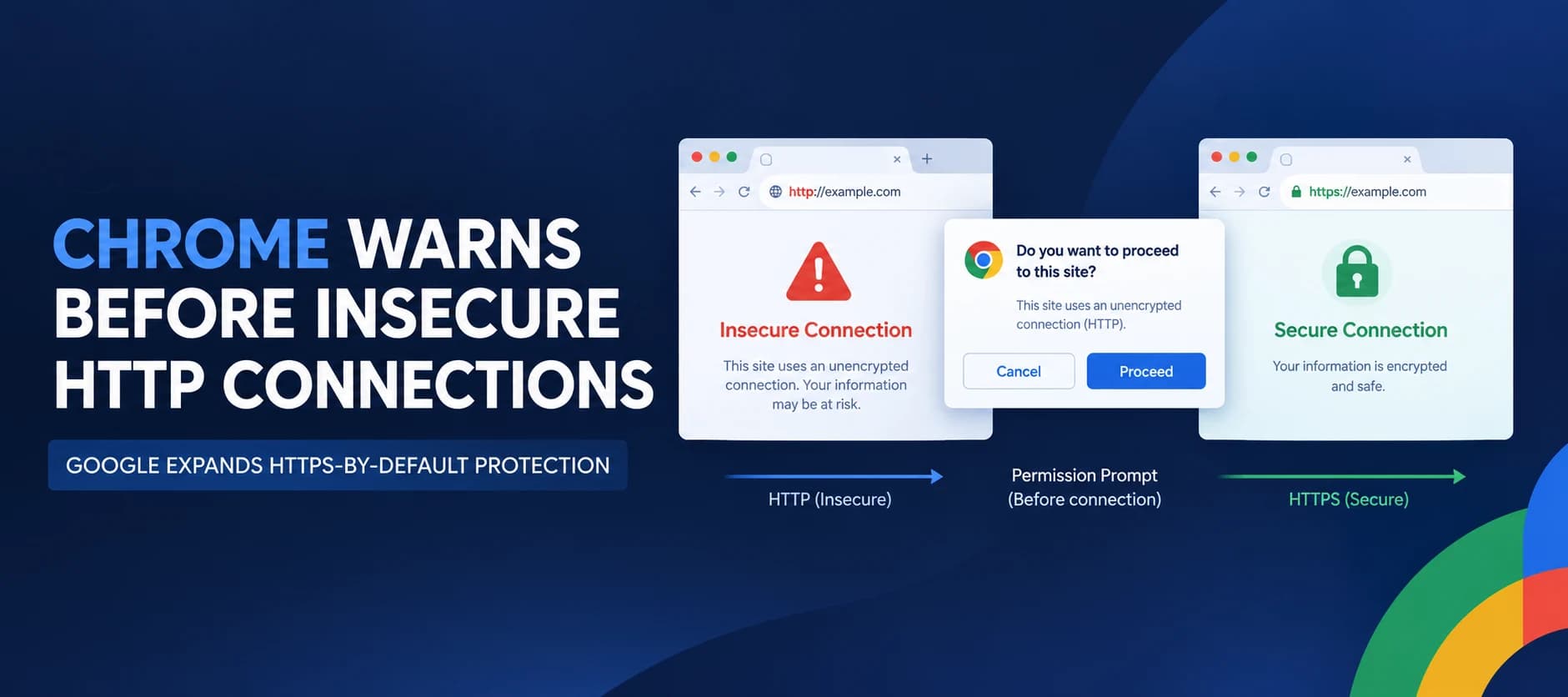
Google has expanded Chrome's protection against insecure web connections, enabling warnings by default for all users before the browser connects to HTTP websites. The change is designed to give users an opportunity to prevent potentially unsafe connections before their browsing traffic is exposed to network attackers.
Announced on October 21, 2026, the update extends a protection previously enabled for users enrolled in Chrome's Enhanced Protection mode of Safe Browsing. Google says the change follows its earlier commitment to move toward HTTPS by default.
Although most Chrome connections now use HTTPS, unprotected HTTP requests can still expose users to risks including malicious content injection, phishing, malware, and eavesdropping.
The update marks a shift from simply identifying insecure pages to asking users for permission before proceeding with an insecure connection.
Why Chrome Is Changing Its HTTP Warnings
HTTP does not encrypt traffic between a browser and a website. As a result, attackers who can interfere with the network connection may be able to observe traffic or modify content delivered to the user.
HTTPS protects the connection through encryption and authentication, helping prevent network attackers from reading or tampering with data in transit.
Chrome has previously used a "Not Secure" label to identify HTTP pages. However, Google says passive warnings have important limitations.
Users may overlook them: Research cited by Google indicates that passive security warnings can go unnoticed.
Short-lived requests can escape notice: HTTP redirects and other brief connections may expose traffic without giving the browser a meaningful opportunity to display a warning badge.
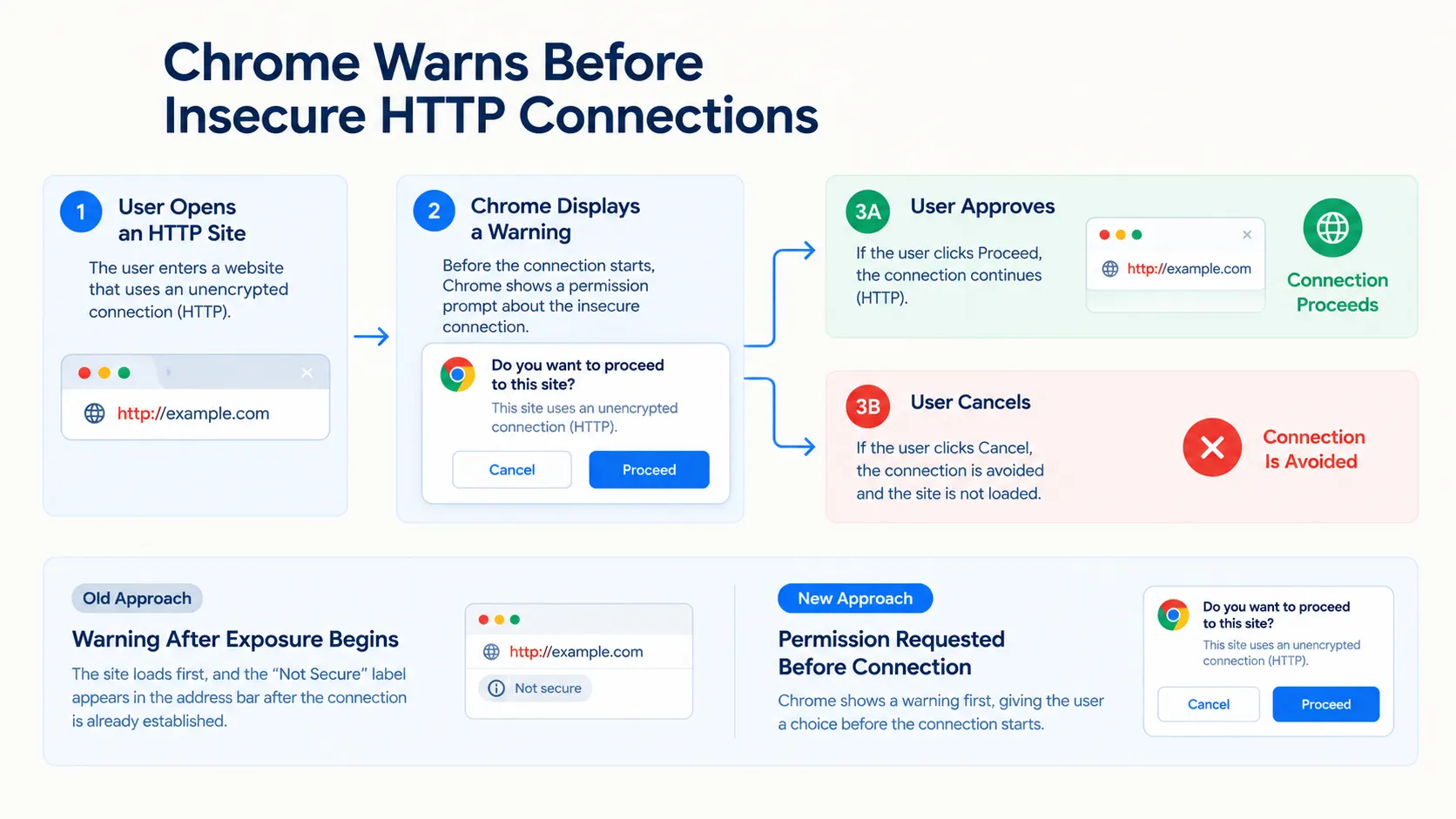
Warnings can appear too late: A "Not Secure" label identifies an insecure connection after the exposure has begun, rather than allowing users to prevent it beforehand.
Chrome's new approach is intended to address these limitations by requesting permission before making an insecure HTTP connection.
How the New Warning System Works
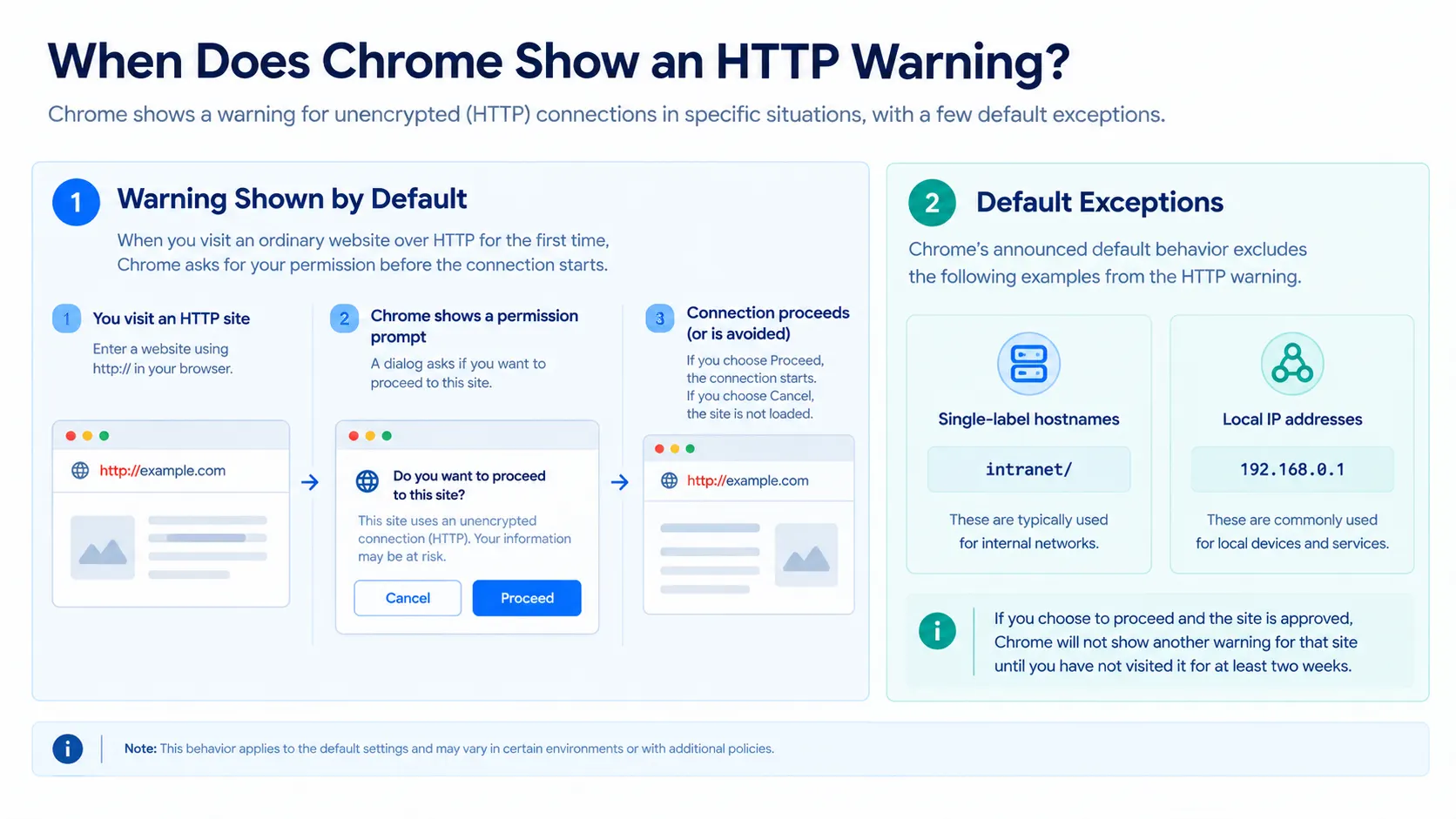
Google says Chrome will ask users to approve HTTP access the first time they visit a site that requires an insecure connection.
After the user approves HTTP use for that site, Chrome will not display the warning again unless the user has not visited the site for at least two weeks.
The behavior is intended to balance security with access to websites that have not yet adopted HTTPS. Google acknowledges that some users still need to access HTTP sites regularly.
There are also exceptions. By default, Chrome does not show these warnings for sites that cannot obtain a publicly trusted HTTPS certificate. Google's examples include single-label hostnames such as intranet/ and local IP addresses such as 192.168.0.1, which are commonly used to configure home Wi-Fi routers and similar devices.
Google explains that these hosts are typically at lower risk from remote attackers because an attacker generally needs to be on the local network to tamper with the traffic.
These exceptions are part of the announced default behavior and should not be interpreted as meaning that every local or private-network connection is inherently safe.
Google Reports Low Warning Rates During Early Rollout
One concern with browser warnings is warning fatigue. If users encounter too many alerts, they may become accustomed to dismissing them without considering the risk.
Google says Chrome's high HTTPS adoption has made it possible to introduce the new warnings without creating widespread disruption.
According to early rollout data cited in the announcement:
Nearly 95% of Chrome desktop users do not see any HTTP warnings in a given week.
Fewer than 1% of desktop users see three or more HTTP warnings in a week.
Warning rates on mobile are even lower.
Google expects warning rates to continue declining as more websites adopt HTTPS.
These figures describe the early rollout reported by Google. They do not establish that warning rates will remain the same across all users, regions, or future browsing patterns.
What the Change Means for Website Owners
Chrome's update adds another reason for website owners to move away from HTTP and configure HTTPS correctly.
Websites that still rely on unencrypted connections may encounter more friction when visitors attempt to access them. For organizations, this can affect user confidence and the experience of accessing web services.
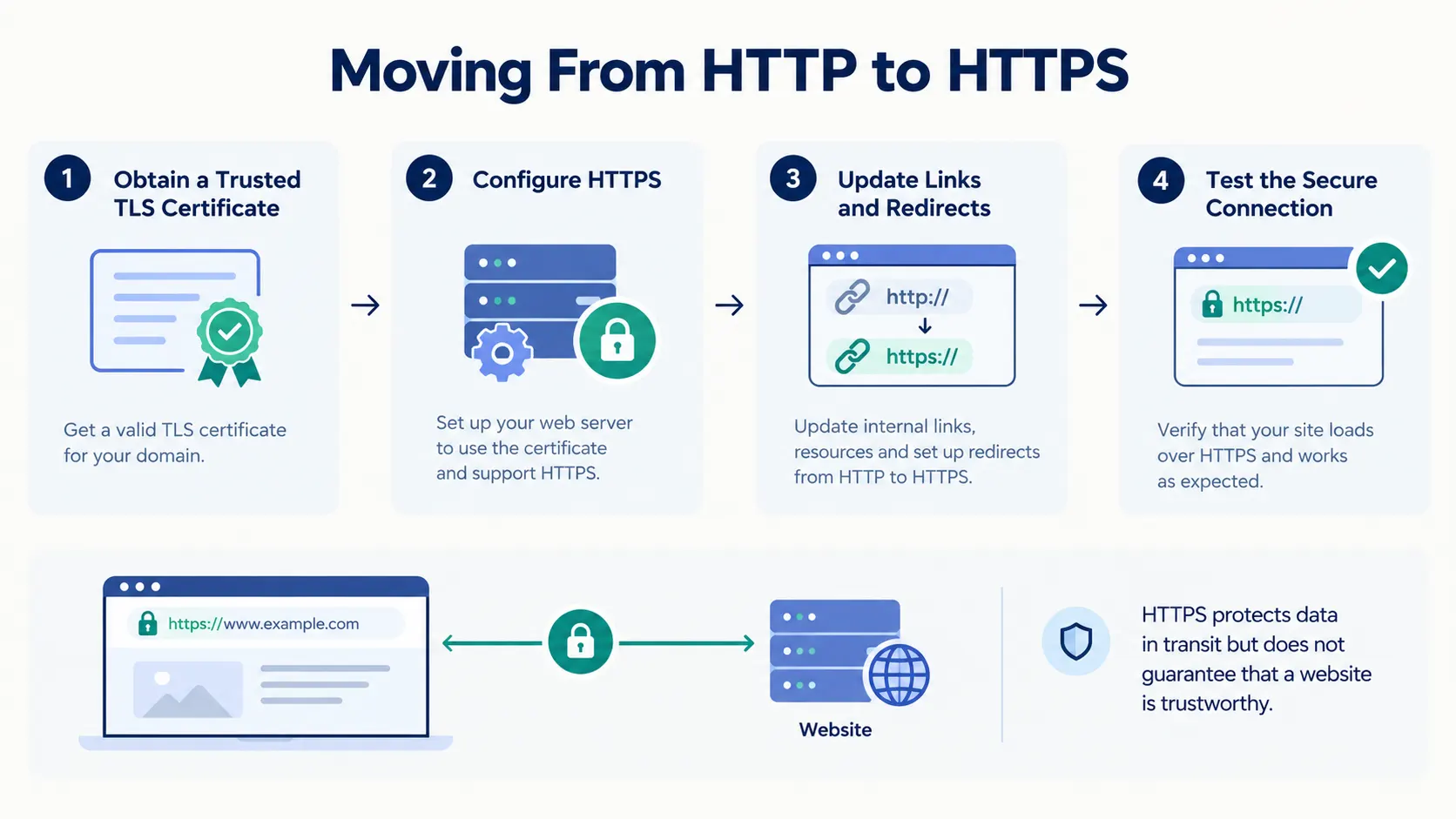
Website owners should review whether their sites support HTTPS, ensure certificates are configured correctly, and update links and redirects that still use HTTP where possible.
HTTPS adoption also helps protect users from network-level tampering. However, HTTPS does not guarantee that a website itself is trustworthy or free from malware, phishing, or other security issues. It protects the connection, not every aspect of the destination's behavior.
Conclusion
Google's Chrome update moves HTTP protection from passive labeling toward a warning that appears before an insecure connection is made. By asking users for permission before proceeding, the browser aims to give them a chance to avoid exposing their traffic to network-based attacks.
The rollout reflects the web's growing adoption of HTTPS, while retaining exceptions for certain local and internal addresses and allowing users to approve HTTP access when needed.
For website operators, the announcement reinforces the importance of supporting HTTPS. For users, it adds an opportunity to make a more informed decision before connecting to a site over an unencrypted channel.
Source: Google Security Blog
About the Author