
CERT-In Warns of High-Severity Vulnerabilities in Zoom Workplace Clients
CERT-In has issued a High-severity alert for multiple vulnerabilities in Zoom Workplace clients across Android, Windows, macOS, Linux, iOS, VDI, and Zoom Rooms. The issues could expose sensitive information or allow privilege escalation.
Xcademia Team
The Indian Computer Emergency Response Team (CERT-In) has issued Vulnerability Note CIVN-2026-0530, warning of multiple High-severity vulnerabilities in Zoom Workplace clients.
Published on October 28, 2026, the advisory identifies security issues involving improper certificate validation, buffer overflow, and improper authorization. Successful exploitation could allow an attacker to escalate privileges or obtain sensitive information from a targeted system.
CERT-In warns that the vulnerabilities could affect users and organizations running vulnerable Zoom applications across desktop, mobile, virtual desktop infrastructure (VDI), and meeting-room environments.
The agency recommends applying the appropriate updates listed in Zoom's security bulletins. The advisory does not establish that these vulnerabilities are being actively exploited in the wild.
Which Zoom Products Are Affected?
CERT-In lists five affected product groups, each with its own version range.
Product | Affected versions |
|---|---|
Zoom Workplace for Android | Versions earlier than 7.2.1 |
Zoom Workplace for Windows, macOS, and Linux | Versions earlier than 7.2.0, including the 7.1.9 branch |
Zoom Workplace for iOS | Versions earlier than 7.2.0 |
Zoom Workplace VDI Client for Windows | Versions 7.0.11 through 7.0.13 |
Zoom Rooms for Windows | Versions 7.0.0 through 7.1.7 |
The affected ranges differ by platform and deployment type. Organizations should not assume that updating one Zoom application automatically addresses every affected installation.
IT administrators should inventory the Zoom products deployed across their environments, identify versions within the listed ranges, and check the relevant vendor bulletin before applying updates.
What Are the Reported Vulnerabilities?
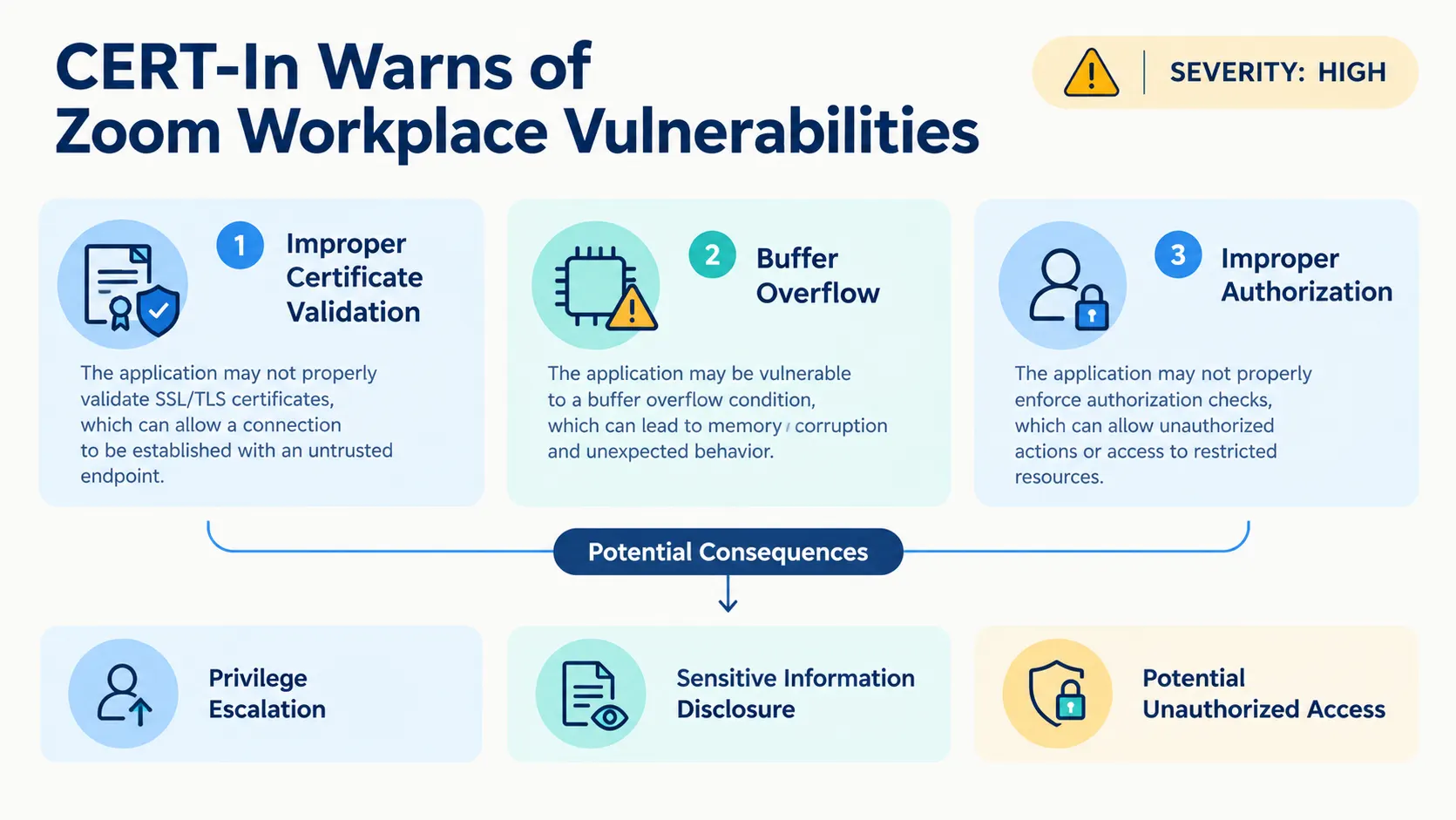
CERT-In identifies three broad categories of security issues in the affected Zoom clients.
Improper certificate validation
Certificate validation helps software determine whether a digital certificate can be trusted. If an application handles certificate validation incorrectly, it may fail to enforce the intended security checks.
Zoom's security bulletins identify certificate-validation issues affecting Zoom clients and Zoom clients for Windows. The corresponding CVEs are CVE-2026-108185 and CVE-2026-108184.
CERT-In includes improper certificate validation among the causes of the vulnerabilities covered by the alert.
Buffer overflow
A buffer overflow occurs when software writes more data to a memory buffer than it can safely hold. Depending on the circumstances, this can cause application instability or create opportunities for security compromise.
Zoom identifies a buffer overflow vulnerability in Zoom Workplace clients under security bulletin ZSB-26020, associated with CVE-2026-53420.
CERT-In includes this issue in its broader warning about potential privilege escalation and sensitive information disclosure.
Improper authorization
Authorization controls determine which actions an application permits. An authorization flaw can allow an action to proceed without the required permission checks.
Zoom's security bulletin ZSB-26019 identifies an improper authorization issue in the handler for a custom URL scheme in Zoom Workplace for Android. The associated identifier is CVE-2026-53418.
CERT-In includes improper authorization among the vulnerability categories covered by its advisory.
The agency's notice does not provide a detailed technical breakdown of each flaw's exploitation requirements. For vulnerability-specific information, administrators should consult the corresponding Zoom security bulletin.
Four CVEs and the Corresponding Zoom Security Bulletins
CERT-In references four CVE identifiers and directs users to four Zoom security bulletins for remediation.
CVE | Zoom security bulletin | Issue identified by Zoom |
|---|---|---|
CVE-2026-108185 | Improper certificate validation in Zoom clients | |
CVE-2026-108184 | Improper certificate validation in Zoom clients for Windows | |
CVE-2026-53420 | Buffer overflow in Zoom Workplace clients | |
CVE-2026-53418 | Improper authorization in the custom URL scheme handler for Zoom Workplace for Android |
The four bulletins are the vendor references listed by CERT-In. The advisory does not provide separate CVSS scores for these vulnerabilities or disclose additional exploit details in its summary.
Administrators should review the bulletin that matches the affected product and apply the relevant vendor update.
Potential Security Impact
CERT-In identifies two principal risks associated with successful exploitation: privilege escalation and sensitive information disclosure.
Privilege escalation could allow an attacker to gain permissions beyond those intended for their access level.
Sensitive information disclosure could expose information stored or processed on the affected system. CERT-In also lists potential unauthorized access in its impact assessment. The notice states that a remote attacker could exploit the vulnerabilities by sending a specially crafted request to a targeted system.
The advisory does not specify that every vulnerability produces every listed impact. The precise consequences depend on the individual vulnerability and affected product.
How to Address the Vulnerabilities
CERT-In's recommended solution is to apply the appropriate updates identified in the vendor's security bulletins.
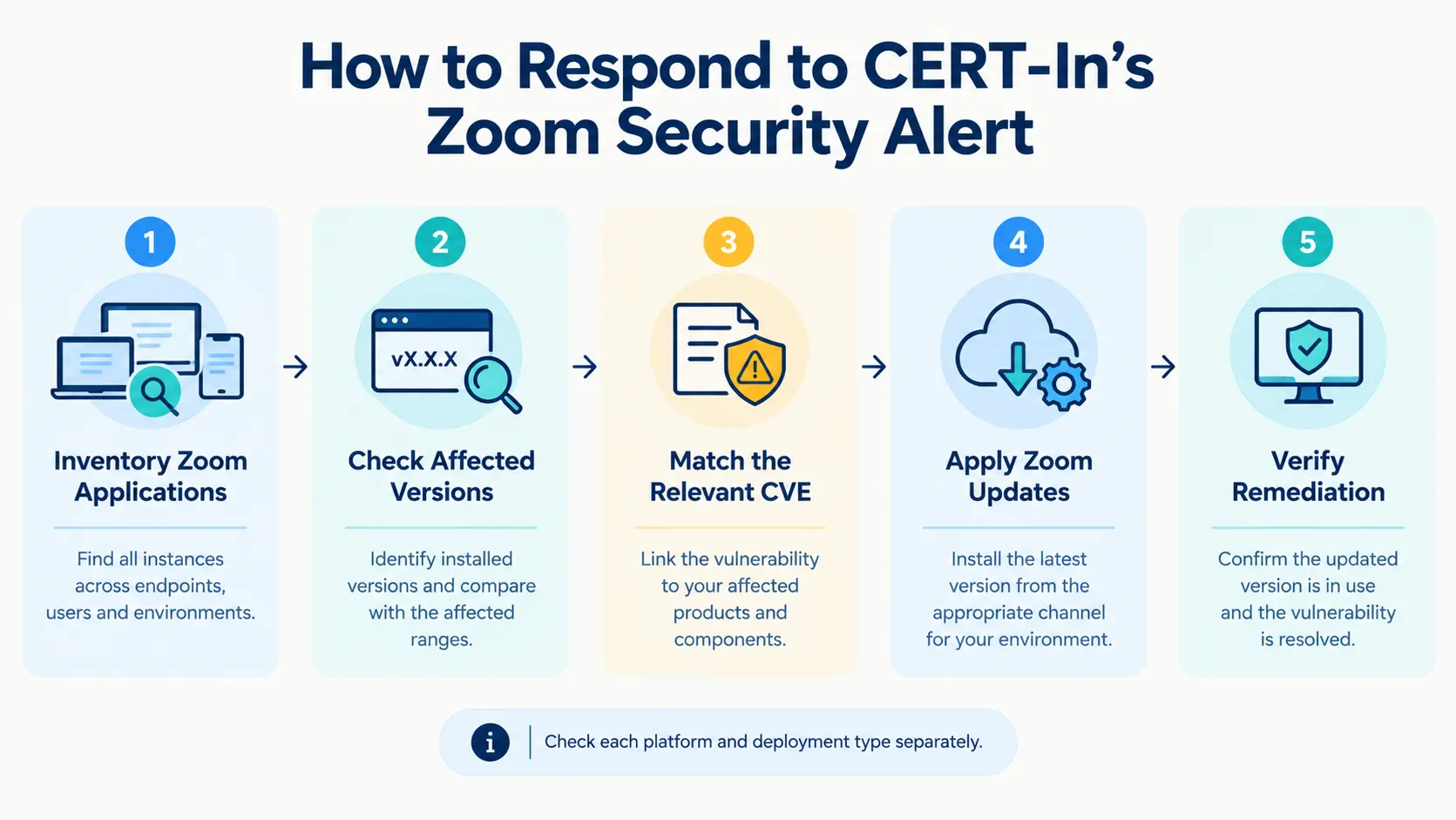
Users and IT administrators should take the following steps.
Inventory Zoom installations. Identify Zoom Workplace deployments across Android, Windows, macOS, Linux, and iOS, as well as Zoom Workplace VDI Client and Zoom Rooms for Windows.
Check installed versions. Compare each installation against the affected ranges in CERT-In's notice.
Review the relevant security bulletin. Use the corresponding Zoom bulletin to determine which update applies to the affected product.
Apply the appropriate update. Follow Zoom's remediation guidance for the relevant platform and release.
Verify remediation. Confirm that the affected installations have been updated to versions outside the ranges identified by CERT-In.
Organizations with centrally managed endpoints should include both standard desktop installations and specialized deployments, such as VDI clients and Zoom Rooms, in their review.
CERT-In does not provide a separate workaround in the notice. Additional remediation details should be obtained from the relevant Zoom security bulletin.
What the Advisory Means for Organizations
Zoom Workplace is used across desktop, mobile, VDI, and meeting-room environments. That range makes accurate software inventory important when responding to a security advisory covering multiple client types.
For IT teams, the priority is identifying which deployments fall within the affected version ranges. The next step is to apply the appropriate vendor updates and confirm that the fixes have reached the relevant systems.
Organizations should pay particular attention to the separate version ranges for Android, iOS, desktop clients, VDI clients, and Zoom Rooms. These products do not all share the same affected-version threshold.
The alert also highlights the value of monitoring vendor security bulletins alongside national cybersecurity advisories. CERT-In provides the consolidated warning, while Zoom's individual bulletins provide the corresponding product-specific references.
This operational guidance follows from the affected products and remediation instructions in the published notice. The advisory does not provide evidence of active exploitation or quantify the number of affected users or systems.
Conclusion
CERT-In's Vulnerability Note CIVN-2026-0530 warns of multiple High-severity vulnerabilities affecting Zoom Workplace clients across several operating systems and deployment types. The reported issues involve improper certificate validation, buffer overflow, and improper authorization, with potential consequences including privilege escalation and sensitive information disclosure.
Users and organizations should check their installed Zoom versions and apply the appropriate updates listed in the vendor's security bulletins. IT teams should verify remediation across desktop, mobile, VDI, and Zoom Rooms environments.
About the Author