
Google BigQuery Adds Identity Columns to Simplify Data Pipelines
BigQuery identity columns can automatically generate sequential 64-bit integer values, reducing the need for manual ID generation and simplifying data ingestion with INSERT and MERGE.
Xcademia Team
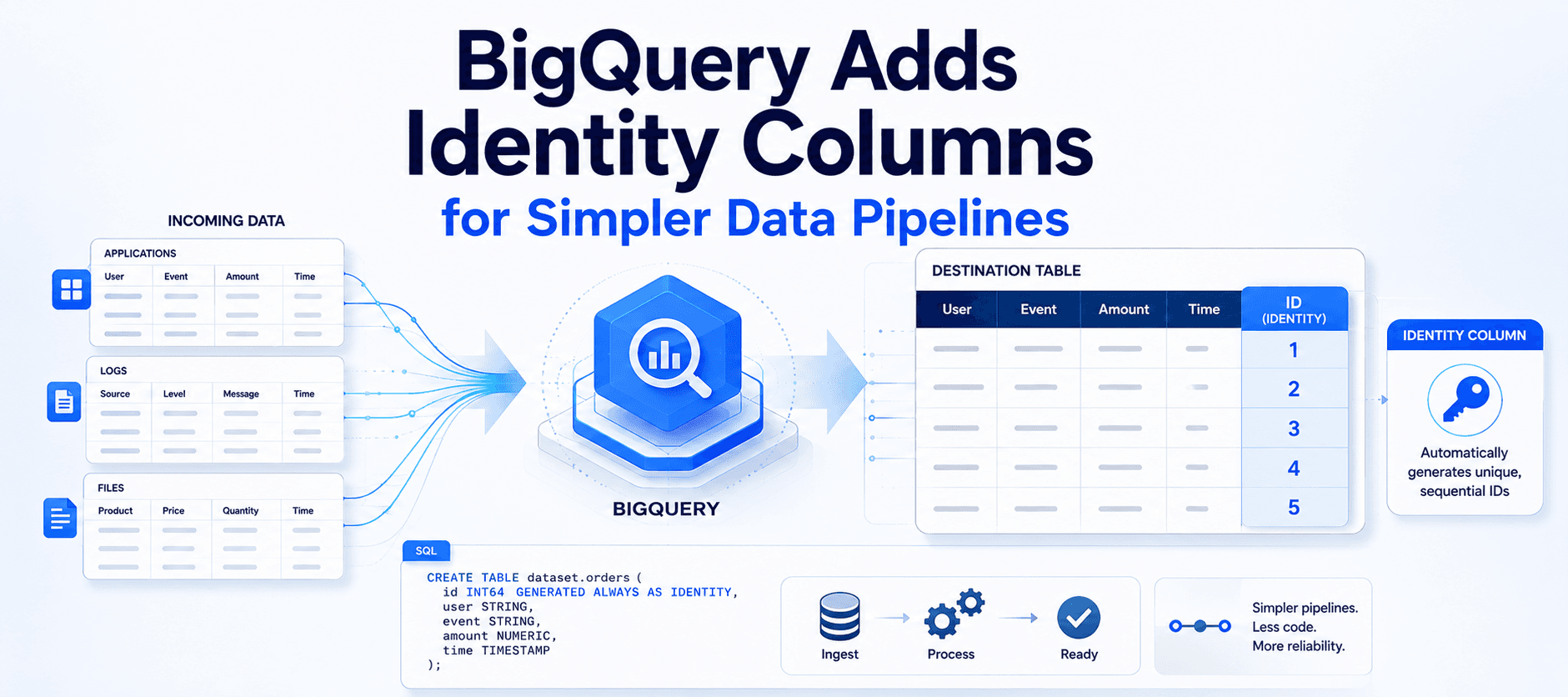
Google has announced the launch of identity columns in BigQuery, a new capability that allows users to define columns that automatically generate sequential 64-bit integer values.
The feature is designed to simplify the management of unique identifiers within BigQuery tables. By shifting ID generation to BigQuery, data engineers can reduce the complexity associated with generating keys in applications and ETL tools.
Google says the capability is aimed at making data ingestion smoother while helping teams simplify the development and maintenance of their data architecture.
What are BigQuery identity columns?
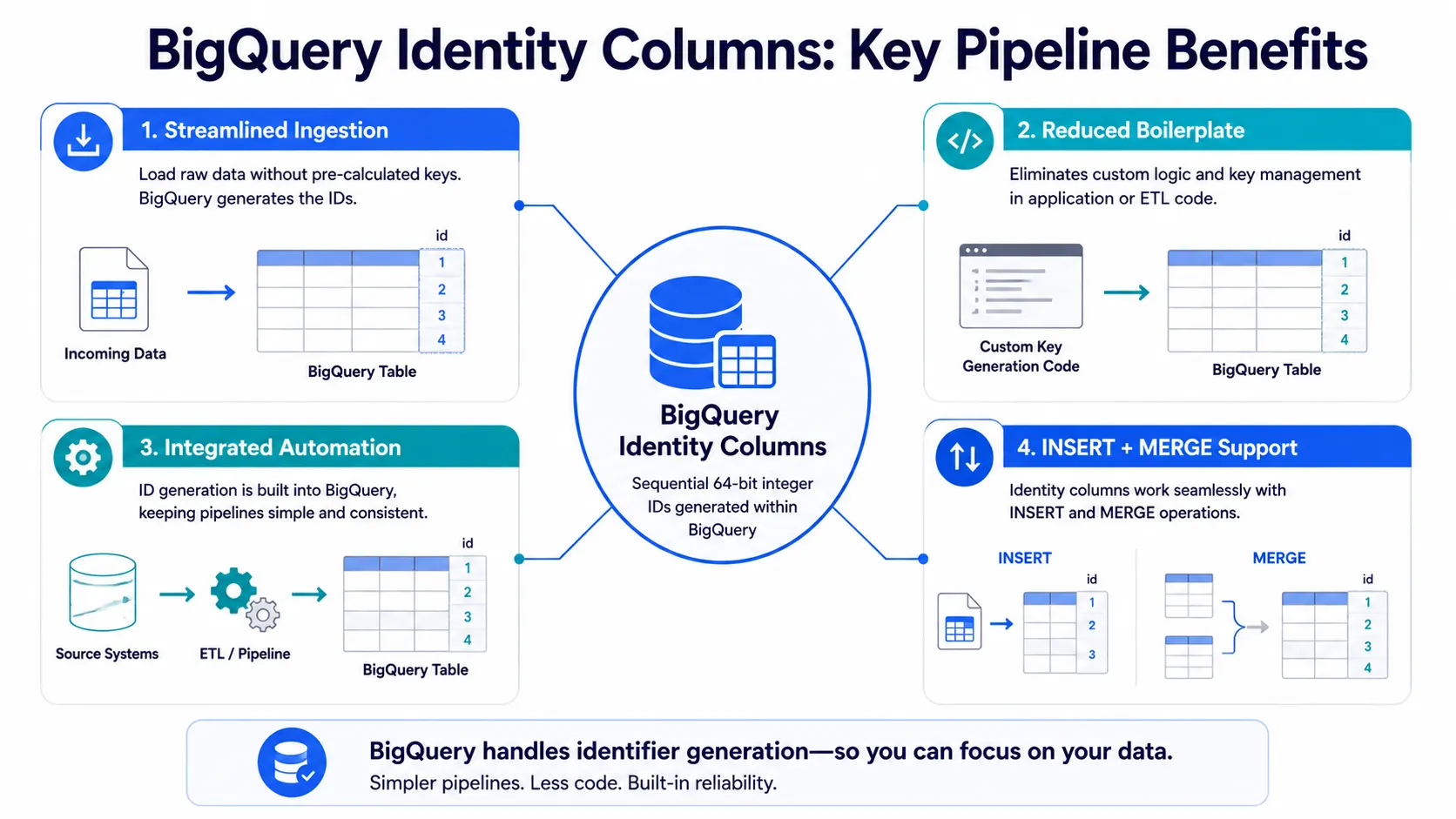
BigQuery identity columns provide a built-in mechanism for automatically generating numerical values for table columns.
Instead of pre-calculating a unique key in application logic or an ETL tool before data is loaded, users can define an identity column directly in the BigQuery table.
BigQuery then handles the generation of the identity values according to the configuration specified for that column.
This approach can reduce the amount of identifier-management logic that needs to be maintained outside the database.
Key benefits for data pipelines
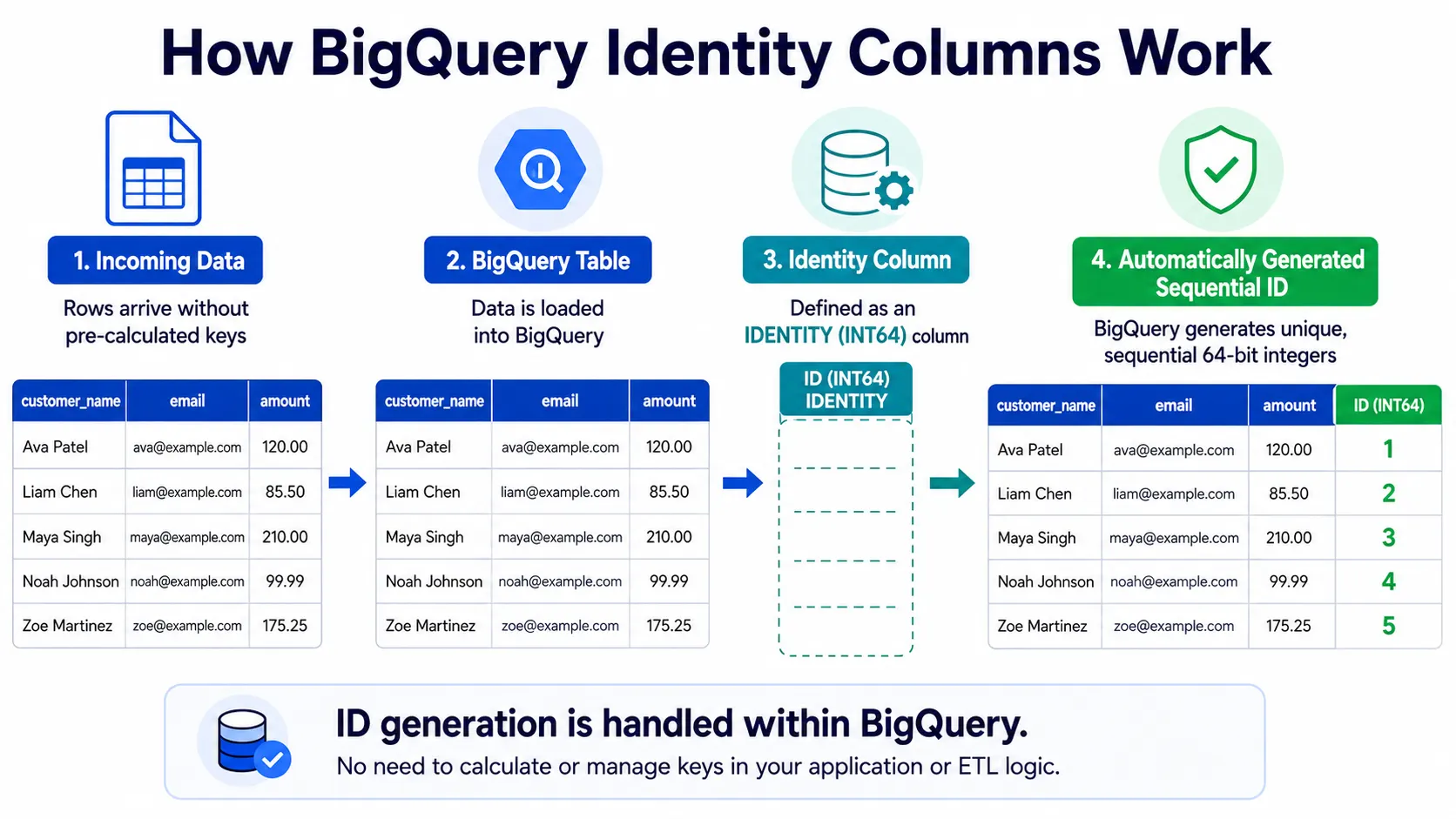
Google highlights several ways identity columns can simplify data pipeline development and maintenance.
Streamlined ingestion
Identity columns allow users to ingest data without pre-calculating unique keys in application logic or ETL tools.
The identifier can instead be generated by BigQuery as part of the table's identity-column configuration.
This reduces the amount of ID-generation work that needs to happen before data reaches the table.
Reduced boilerplate
Auto-generated sequences can make SQL code cleaner and easier to maintain.
Because BigQuery handles key management natively, developers do not need to build the same identifier-generation logic into every ingestion workflow.
Integrated automation
Identity columns work with standard DML operations.
Google says that new rows can automatically receive a unique identifier, allowing ID generation to become part of the database workflow rather than a separate process.
Flexible integration
The feature works with both INSERT and MERGE statements.
This allows identity columns to be incorporated into existing data workflows using common DML operations.
How to define an identity column
Identity columns can be configured directly within a BigQuery CREATE TABLE statement.
Google provides two primary definition options for controlling how identity values are generated.
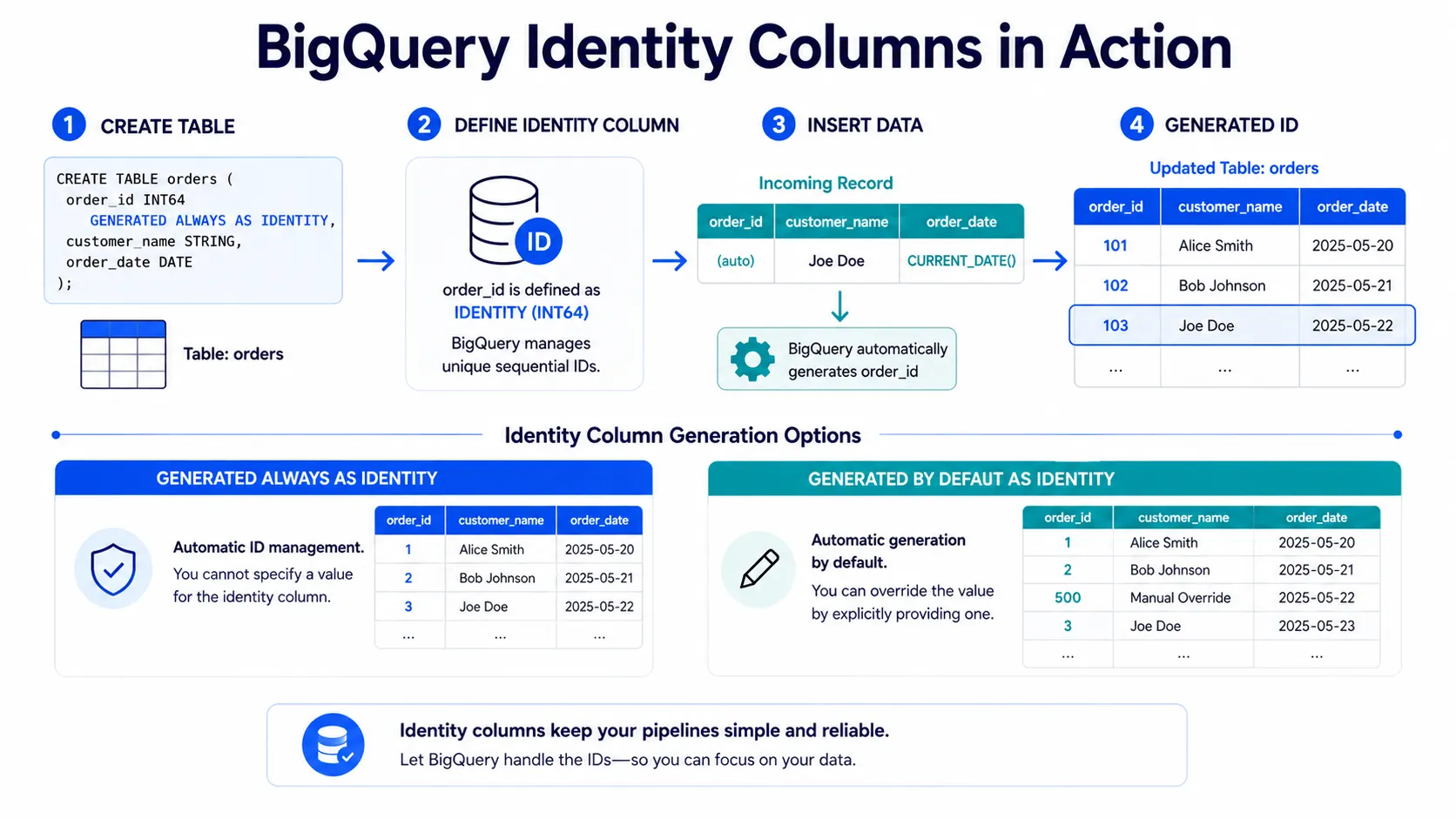
GENERATED ALWAYS AS IDENTITYWith GENERATED ALWAYS AS IDENTITY, BigQuery automatically manages the generated values and ensures their uniqueness, according to Google's announcement.
This option is intended for columns where the identity value is managed automatically by BigQuery.
GENERATED BY DEFAULT AS IDENTITYWith GENERATED BY DEFAULT AS IDENTITY, BigQuery provides an automatic value while still allowing manual overrides when necessary.
This gives users more control when an existing workflow needs to supply an identifier in some cases.
Definition | Description |
|---|---|
| BigQuery automatically manages and ensures the uniqueness of the generated values. |
| Provides an automatic value while allowing manual overrides when necessary. |
Creating a BigQuery identity column
Google's example shows how an identity column can be defined when creating an orders table.
CREATE TABLE my_project.my_dataset.orders (
  order_id INT64 GENERATED ALWAYS AS IDENTITY (START WITH 1 INCREMENT BY 1),
  customer_name STRING,
  order_date DATE
);
In this example, order_id is defined as an INT64 identity column. The configuration starts the sequence at 1 and increases it by 1 for each new entry.
Once the table has been created, data can be inserted without explicitly providing the identity value.
INSERT INTO my_project.my_dataset.orders (customer_name, order_date)
VALUES ('Joe Doe', CURRENT_DATE());
The INSERT statement supplies the customer name and order date, while the identity column handles the generated identifier.
Simplifying surrogate key generation
Google also positions identity columns as a way to automate the generation of surrogate keys.
By defining the identity behavior as part of the table, the process of generating numerical identifiers can be handled within BigQuery rather than being separately implemented in application or ETL logic.
This can make data architecture easier to maintain by reducing the amount of supporting key-management logic required around ingestion.
What this means for data engineers
The main change is straightforward: BigQuery can take responsibility for generating the numerical identifiers defined through identity columns.
For data engineers, this means unique key generation does not have to be pre-calculated in application logic or ETL tools for supported workflows.
The feature also provides flexibility through the two identity definitions. Teams can use GENERATED ALWAYS AS IDENTITY when BigQuery should automatically manage the values, or GENERATED BY DEFAULT AS IDENTITY when manual overrides may be required.
Identity columns therefore provide a built-in approach to a common data-engineering task while working with existing INSERT and MERGE operations.
Getting started with BigQuery identity columns
Google says identity columns are available in BigQuery.
Users can define an identity column directly in a CREATE TABLE statement and configure its generation behavior according to their requirements.
The feature supports automatic sequential 64-bit integer generation and can be used with INSERT and MERGE statements.
Google says that automating surrogate key generation makes it easier to build scalable and maintainable data architecture.
For implementation details, Google provides documentation for BigQuery identity columns.
Conclusion
BigQuery identity columns give data engineers a built-in way to automatically generate sequential 64-bit integer values for table columns.
By moving identifier generation into BigQuery, the feature can reduce the need for pre-calculated keys in application logic and ETL tools, while also reducing SQL boilerplate.
With support for GENERATED ALWAYS AS IDENTITY, GENERATED BY DEFAULT AS IDENTITY, INSERT, and MERGE, the capability provides a flexible approach to managing generated identifiers within BigQuery data workflows.
Google says the feature is part of its broader effort to provide a flexible, high-performance, and standards-compliant data platform.
Source: Google Cloud Blog
About the Author